How this blog works
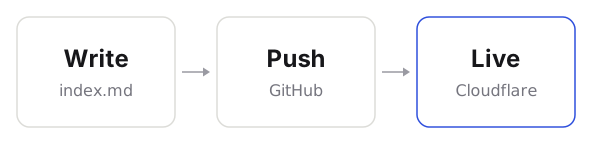
This site has no CMS and no database. Each post is a Markdown file in a Git repository. Pushing to GitHub rebuilds the site and publishes it.
One folder per post
A post is a folder named after its date and title. The text goes in index.md, and anything the post shows sits beside it:
content/blog/
  2026-10-25-watching-a-path-tracer-converge/
    index.md
    render.jpg
    converge.mp4
That folder becomes /blog/watching-a-path-tracer-converge/, and its files are published alongside the post, so the post can refer to them by name. A post with nothing to show can be a single file instead, like 2026-10-25-some-title.md.
index.md starts with a few lines of front matter:
---
title: Watching a path tracer converge
summary: One line for the list of posts.
---
Embedding things
Markdown’s image syntax embeds everything, and the file type decides what appears:
| Write | Get |
|---|---|
 |
An image |
 |
A video player |
 |
An audio player |
 |
A YouTube or Vimeo player |
 |
A self-contained page, in a frame |
 |
A canvas, drawn by a JavaScript module |
The alt text describes the thing for screen readers. The quoted caption is optional and appears beneath it. Several embeds on consecutive lines sit side by side as a gallery.
For a canvas, the module’s default export receives the <canvas> element and can draw into it however it likes: raw WebGL, or a library loaded from a CDN. The raymarching post and the Three.js post both work this way.
Publishing and rebuilding
- Publish: commit and push. GitHub Actions builds the site and uploads it to Cloudflare Pages, usually within a minute.
- Preview: push to any other branch and it appears at an address of its own, without touching the live site.
- Rebuild: press Run workflow on the repository’s Actions tab, or deploy straight from my laptop with
npm run deploy. - Drafts: add
draft: trueto the front matter. The post shows up while I’m writing locally but stays off the live site.
GitHub’s web editor works too, so I can fix a typo from my phone.